 ac6aefd34c
doc/check-certificates.d/notification-01-warn.avif
----- >8 -----
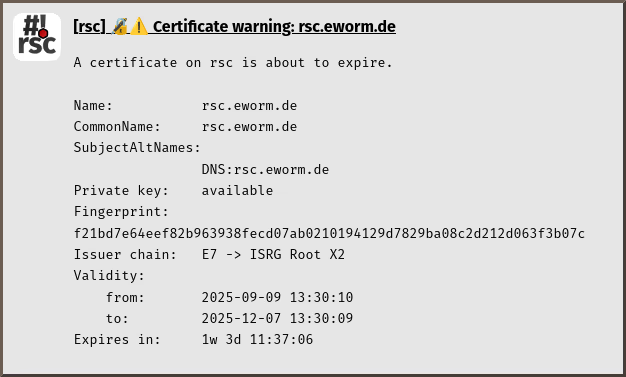
[rsc] 🔏️⚠️ Certificate warning: rsc.eworm.de

A certificate on rsc is about to expire.

Name:           rsc.eworm.de
CommonName:     rsc.eworm.de
SubjectAltNames:
                DNS:rsc.eworm.de
Private key:    available
Fingerprint:    f21bd7e64eef82b963938fecd07ab0210194129d7829ba08c2d212d063f3b07c
Issuer chain:   E7 -> ISRG Root X2
Validity:
    from:       2025-09-09 13:30:10
    to:         2025-12-07 13:30:09
Expires in:     1w 3d 11:37:06
----- >8 -----

doc/check-certificates.d/notification-02-renew.avif
----- >8 -----
[rsc] 🔏️ Certificate renewed: rsc.eworm.de

A certificate on rsc has been renewed.

Name:           rsc.eworm.de
CommonName:     rsc.eworm.de
SubjectAltNames:
                DNS:rsc.eworm.de
Private key:    available
Fingerprint:    f21bd7e64eef82b963938fecd07ab0210194129d7829ba08c2d212d063f3b07c
Issuer chain:   E7 -> ISRG Root X2
Validity:
    from:       2025-11-07 13:30:09
    to:         2026-02-05 13:30:08
Expires in:     11w 3d 02:25:23
----- >8 -----
3.9 KiB
Renew certificates and notify on expiration




ℹ️ Info: This script can not be used on its own but requires the base installation. See main README for details.
Description
This script tries to download and renew certificates, then notifies about certificates that are still about to expire.
Sample notifications

Requirements and installation
Just install the script:
$ScriptInstallUpdate check-certificates;
Configuration
For automatic download and renewal of certificates you need configuration
in global-config-overlay, these are the parameters:
CertRenewPass: an array of passphrases to tryCertRenewTime: on what remaining time to try a renewCertRenewUrl: the url to download certificates fromCertWarnTime: on what remaining time to warn via notification
ℹ️ Info: Copy relevant configuration from
global-config(the one without-overlay) to your localglobal-config-overlayand modify it to your specific needs.
Certificates on the web server should be named by their common name, like
CN.pem (PEM format) orCN.p12 (PKCS#12 format). Alternatively any
subject alternative name (aka Subject Alt Name or SAN) can be used.
Also notification settings are required for e-mail, gotify, matrix, ntfy and/or telegram.
Usage and invocation
Just run the script:
/system/script/run check-certificates;
... or create a scheduler for periodic execution:
/system/scheduler/add interval=1d name=check-certificates on-event="/system/script/run check-certificates;" start-time=startup;
Tips & Tricks
Schedule at startup
The script checks for full connectivity before acting, so scheduling at startup is perfectly valid:
/system/scheduler/add name=check-certificates@startup on-event="/system/script/run check-certificates;" start-time=startup;
Initial import
Given you have a certificate on you server, you can use check-certificates
for the initial import. Just create a dummy certificate with short lifetime
that matches criteria to be renewed:
/certificate/add name=example.com common-name=example.com days-valid=1;
/certificate/sign example.com;
/system/script/run check-certificates;